
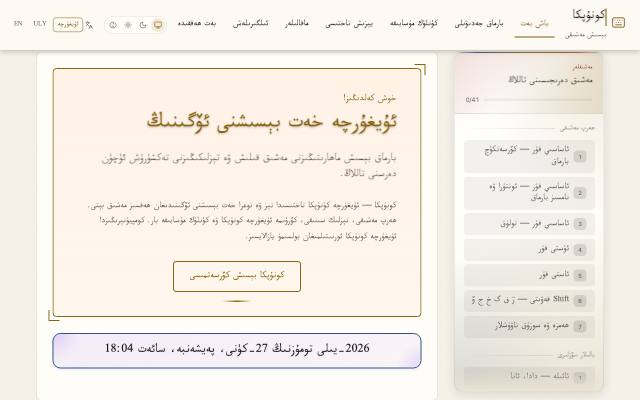
What is this tool?
KeyDrill is a typing trainer for Uyghur. It helps you memorize where each Uyghur letter sits on the keyboard and build typing speed.
What is it used for?
The biggest obstacle for people learning to write Uyghur on a computer is not knowing where the letters are. Practice teaches your hands the layout, so typing gets several times faster.
How is it used?
Open the tool, choose a practice text and type the letters shown on screen. Errors and speed appear immediately, so you can see which letters slow you down.
Who is it for?
Students new to typing Uyghur, office workers who want to type faster, and people raised abroad who are not used to a Uyghur keyboard.
Getting started
- Choose a lesson — topics include Uyghur cities, family terms and poetry.
- Type the words and phrases on screen; each keystroke is marked right or wrong at once.
- When the lesson ends, see your words per minute (WPM), accuracy and error count.
- Keep practising with the daily typing challenge.
Frequently asked questions
- How do I learn to type in Uyghur?
- Ten to fifteen minutes of practice a day works best. First get used to resting your hands on the home row, then practise typing without looking at the keys. Aim for accuracy before speed.
- How do I add a Uyghur keyboard?
- Windows, macOS, Android and iOS all let you add a Uyghur (Arabic script) keyboard in the language or keyboard section of the system settings. Once added, you switch between languages.
- How is my typing speed measured?
- After each lesson you see your words per minute (WPM), accuracy and error count. Improve accuracy first; speed follows.
Also known as
- كونۇپكا - قول كۆندۈرۈش
- Konupka - qol köndürüsh
- Конупка - қол көндүрүш
- KeyDrill
- ئۇيغۇرچە خەت بېسىش
- ئۇيغۇرچە كونۇپكا
- قول كۆندۈرۈش
- Uyghurche xet bésish
- Uyghur typing practice
- Uyghur keyboard practice