
What is this tool?
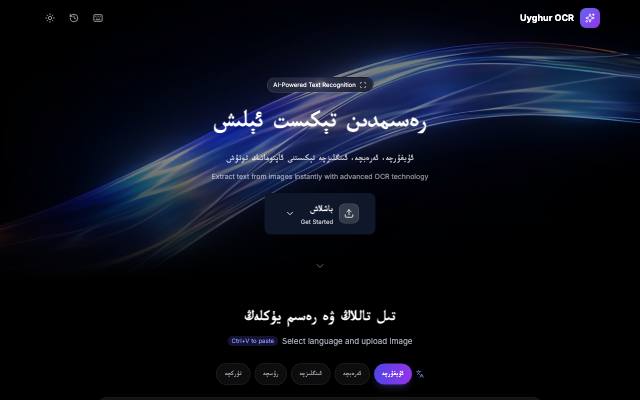
OCR Scanner recognizes Uyghur text in images and PDFs and turns it into text you can copy and edit.
What is it used for?
Most Uyghur books, newspapers and manuscripts survive only as images. Until they become text they cannot be searched, edited or translated, so recognition is the first step of digital preservation.
How is it used?
Drag in an image or PDF, or choose one to upload. You can take the result in Arabic script (UEY) or Latin script (ULY), and download it as TXT or as a searchable PDF. Clear, straight, well-lit images give the best results; skewed or blurry ones produce more errors.
Who is it for?
Researchers and librarians digitizing Uyghur material, and anyone who wants to preserve old books.
Getting started
- Drag an image or PDF into the tool, or choose one to upload.
- Check the recognized text and correct any misread words.
- If needed, switch the output script between Arabic (UEY) and Latin (ULY).
- Download the result as TXT or as a searchable PDF.
Frequently asked questions
- What is OCR?
- OCR (optical character recognition) recognizes the letters in an image and turns them into text a computer can read, so the words can be searched, copied and edited.
- Why is Uyghur OCR difficult?
- The Uyghur script is based on Arabic script: letters join together, and a letter changes shape at the start, middle and end of a word. That makes recognition considerably harder than for Latin script.
- Which languages does OCR Scanner recognize?
- Besides Uyghur, it also recognizes Arabic, English, Russian and Turkish text.
Also known as
- OCR سكانېر
- OCR skanér
- OCR сканер
- OCR Scanner
- ئۇيغۇرچە OCR
- رەسىمدىن تېكىست
- تېكىست تونۇش
- Uyghurche OCR
- Uyghur OCR
- extract Uyghur text from image
Terms behind this tool
Related Tools
Yardem
Visual AI agent workflow builder and orchestrator — drag, drop and connect agents to automate tasks.
AI Model
The Uyghur-first UyghurAI model family and its roadmap.
AI OCR
Extract text from images & PDFs with AI. Supports 18+ languages including Uyghur.
Oghuz AI
AI translation between Uyghur and other Turkic languages.