
Journey to the Homeland
Explore ancient streets, a bazaar, a Muqam courtyard, and vineyards on foot or from the air in Ziyaret.
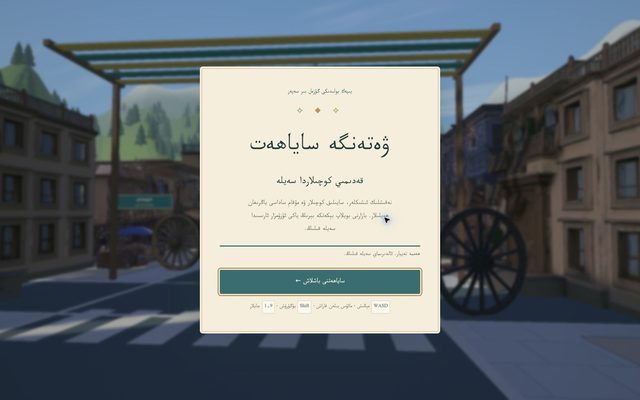
What is this tool?
Ziyaret, Journey to the Homeland, is a 3D environment with an old-town bazaar, a Muqam courtyard, a station and vineyards. Explore on foot or from the air.
What is it used for?
The destination menu lets you move between landmarks and view streets and courtyards from different angles. Graphics quality can be adjusted for your device.
How is it used?
Use WASD to walk, the mouse to look, Shift to run and Space to jump. Press F to toggle the aerial tour, or use keys 1–9 to move between destinations.
Who is it for?
Visitors interested in Uyghur cultural settings, architecture and relaxed virtual exploration.
Getting started
- Wait for the scene to be ready, then select the start-tour button.
- Choose a destination from the menu or use keys 1–9.
- Try the aerial view with F. If movement is slow, select medium or low graphics quality.
Try this
Press 2 to visit the Muqam courtyard, then 5 to see the vineyards and Turpan tower. Use M to toggle the music.
Frequently asked questions
- How do I move quickly between landmarks?
- Use the destination menu or keys 1–9. The menu includes the bazaar, Muqam courtyard, station, vineyards and other locations.
- What can I try if the scene runs slowly?
- Choose medium or low in the graphics-quality menu. These options are provided to reduce the work needed to draw the scene.
Also known as
- ۋەتەنگە ساياھەت
- Weten'ge sayahet
- Вәтәнгә саяһәт
- Journey to the Homeland
- Ziyaret
- Uyghur virtual tour