
Imla Uyghur Spell Checker
Quickly and safely check spelling errors in Uyghur text.
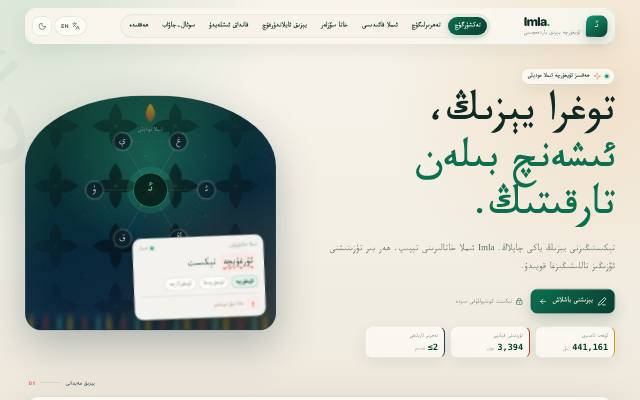
What is this tool?
Imla quickly checks Uyghur text for spelling mistakes and suggests the correct form.
What is it used for?
Because of letter shapes and joining, written Uyghur hides mistakes that are easy to miss. Automatic checking is especially useful for official documents and anything you publish.
How is it used?
Paste your text or open a TXT, RTF or DOCX file. Misspelled words are underlined, with up to five suggested corrections each. Review the suggestions one by one — specialist terms and personal names may be flagged by mistake.
Who is it for?
Writers, teachers, translators and anyone publishing Uyghur content.
Getting started
- Paste text into the editor, or open a TXT, RTF or DOCX file.
- Click an underlined word to see the suggested corrections.
- Choose the correct form; if the word was right all along, add it to your personal dictionary.
- Copy the corrected text, or download it as TXT, RTF or DOCX.
Frequently asked questions
- How many words does Imla know?
- Imla relies on a Uyghur dictionary of more than 441,000 words; the word list and correction data come from UyghurEdit++. It also tries to accept correctly formed words that are not in the list, such as a known stem with suffixes.
- I have no Uyghur keyboard. How can I type?
- Type in Latin letters (ULY) and Imla converts them to Uyghur Arabic script. You can also use the on-screen Uyghur keyboard.
- Can I use it offline?
- Yes. Install Imla as an app (PWA) and it can check text offline; in offline mode your text never leaves the browser.
Also known as
- ئىملا
- Imla
- Имла
- ئۇيغۇرچە ئىملا تەكشۈرۈش
- ئىملا خاتالىقى
- Uyghurche imla
- Uyghur spell check
- Uyghur spelling checker
Related Tools
Translation Hub
Translate across all languages.
Uyghur Names Dictionary
Search 7,132 Uyghur names and explore their meanings, variants, and origins.
Lughet Dictionary
Search Uyghur and Chagatai words, explore English, Chinese and Turkish meanings, save vocabulary and share words as images.