
Bulbulbagh
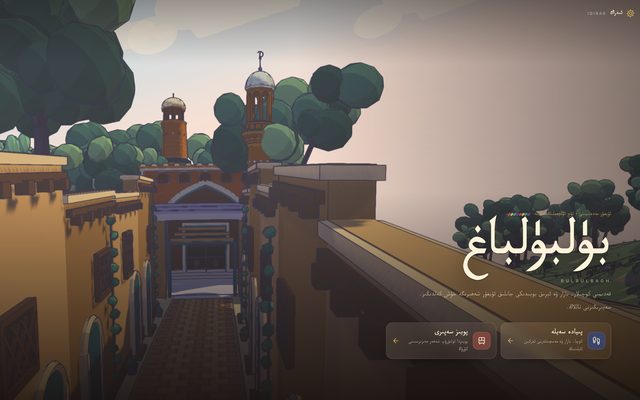
Explore a hand-painted 3D Uyghur oasis town inspired by Kashgar, learn real Uyghur words, and climb the Idirak Tower.
What is this tool?
Bulbulbagh is a 3D Uyghur town with a bazaar, mosques, trees and streets beside a water channel. Its home screen offers a walking tour and a train journey.
What is it used for?
Explore the town's architecture and atmosphere at your own pace. The walking tour also includes a picture dictionary and a navigator.
How is it used?
On a computer, use WASD to walk, the mouse to look, Shift to run and E to interact. These are the keyboard and mouse controls shown by the walking tour.
Who is it for?
People interested in Uyghur visual culture, virtual towns and open-ended exploration.
Getting started
- Choose the walking tour or train journey on the home screen.
- For the walking tour, wait for the town to load, then select the button to enter Bulbulbagh.
- Press N for the navigator or L for the picture dictionary. Press Esc to release the mouse.
Try this
Explore the bazaar or water channel, then open the picture dictionary with L. Press R if you want to return to the initial view.
Frequently asked questions
- How do I choose between walking and taking the train?
- The Bulbulbagh home screen has two separate links. The walking tour lets you explore streets freely; the train journey lets you see the town's scenery from a train.
- How do I release the mouse?
- Press Esc during the walking tour. Use the home link when you want to choose a different tour mode.
Also known as
- بۈلبۈلباغ
- Bülbülbagh
- Бүлбүлбағ
- Bulbulbagh
- Uyghur virtual town
- Uyghur walking tour